A settings backup is a saved record of your current configuration that lets you return to a known good setup after an update, a phone change, or an experiment that went wrong. For a tuned sensitivity profile, that record is worth real effort, because rebuilding values from memory rarely reproduces the original feel.
Sadx Freestyle users who treat the Sadx Freestyle APK latest version as a long term tool should build the backup habit early. It takes five minutes, needs nothing more than screenshots and a notes app, and it converts every future change from a gamble into a reversible step you can undo whenever you like.
Decide What Belongs in the Backup
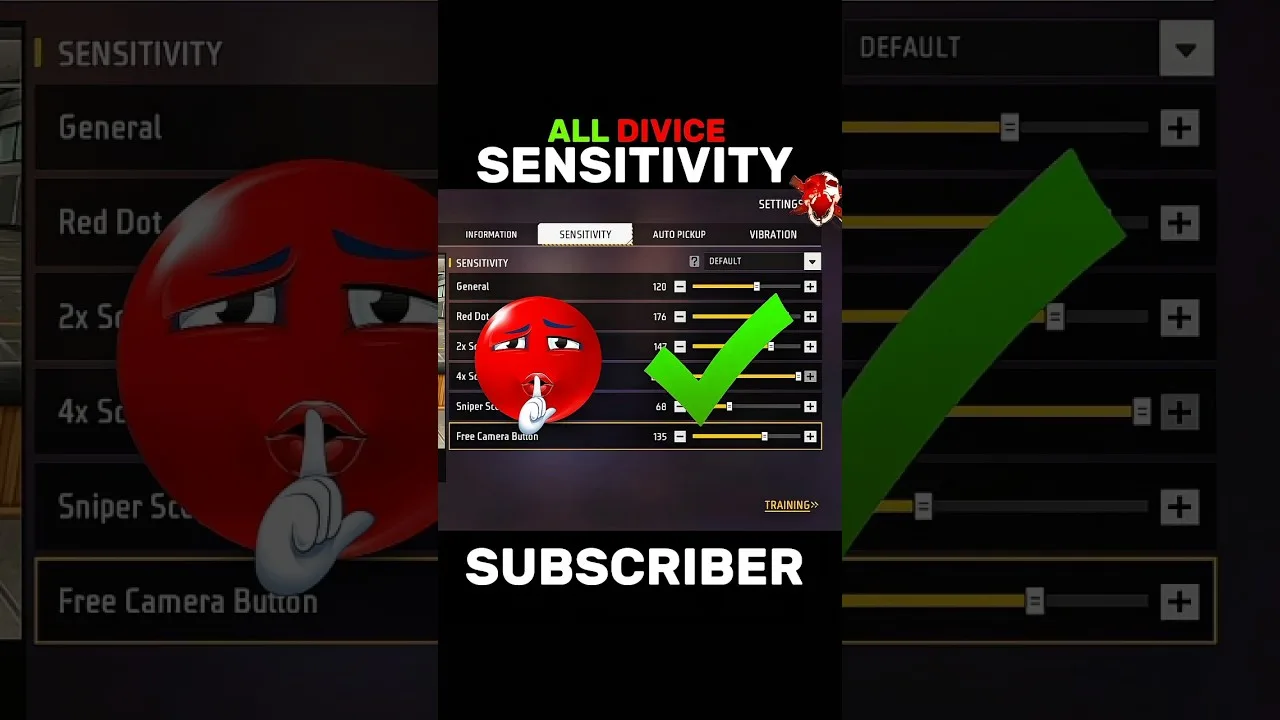
A complete backup covers more than the headline sensitivity numbers. Record general sensitivity, every scope value, your DPI setting, fire button size and position, overlay choices, and any panel preferences you rely on. Small details like button placement are exactly the ones memory drops first when you need them most.
Screenshots are the fastest reliable method. Capture each settings screen fully, making sure values are readable, then add one short written note with the date and a line about how the setup feels. That feeling note sounds minor, yet it tells future you whether this backup was a favourite profile or just an experiment in progress.
Organise the Backup So You Can Find It
Store the screenshots in a single album or folder with a clear name, and keep the written note in the same place. A backup you cannot find in thirty seconds is barely better than no backup at all. Players who keep several profiles, for example one for close range and one for scoped play, should name each set after its purpose.
Consider keeping a second copy somewhere other than the phone itself, such as cloud storage you already use. Phones get lost, reset, and replaced, and your setup knowledge should survive the device. This small redundancy is the difference between a minor inconvenience and starting your tuning journey again from zero.
Restore in a Sensible Order
When restoring, work from the foundation upward: DPI first, then general sensitivity, then red dot, then scope values, then button layout and overlay choices. This order matters because each layer influences how the next one feels. Testing after the full restore, rather than after every field, gives you a clean verdict on the complete profile.
Restores are most often needed right after installing a fresh build, so pair this routine with the steps in the guide to updating Sadx Freestyle. Updating and restoring then become one calm workflow: save, update, compare, restore anything that differs, and test once at the end.
Keep Your Everyday Routine Documented Too
Your backup is stronger when it reflects a setup that was itself built methodically. If your current profile came from patient, one change at a time tuning, the backup preserves real knowledge. The habits described in the guide to using Sadx Freestyle as a setup routine produce exactly that kind of profile, one worth protecting because it was earned through testing rather than assembled by luck.
Update the backup whenever you deliberately change your profile and decide the change is permanent. An outdated backup is a quiet trap: restoring it months later brings back an older feel you had already improved past. Date every version, and delete or clearly archive the ones you have replaced so there is never doubt about which set is current.
Test the Restore Before You Trust It
A backup is only proven when a restore has actually been performed and played. Pick a quiet moment, restore your profile from the screenshots alone, and play a training session. If the feel matches your memory of the setup, the backup works. If something feels off, a value was probably recorded unclearly, and now is the time to fix the record.
This rehearsal also builds confidence for real situations, like setting up a new phone under time pressure. Knowing your restore takes ten minutes and lands accurately removes the fear that keeps many players stuck on outdated devices or broken configurations long after they should have moved on.
Keeping Multiple Profiles Without Confusion
Many players eventually keep more than one profile: a familiar everyday setup, an experimental one under evaluation, perhaps a scoped variant for particular modes. Multiple profiles are valuable only while they stay distinguishable, so name each set by purpose and date, and add one honest sentence about how it performed in real matches.
Review the collection every month or two and retire profiles that failed their trials. A folder containing twelve undated screenshot sets helps nobody, while three well labelled sets, each with a proven restore, form a genuine asset. Curation is the unglamorous half of backup discipline, and it is the half that decides whether your records stay useful as they grow.
Share your backup habit with the friends you play with, because setup losses are contagious in a squad's morale if not in fact. When one player's configuration vanishes before a planned session, everyone waits while it is rebuilt from memory. A group where each member keeps dated screenshots spends that time playing instead, and the shared habit quickly becomes part of how the squad prepares. Small organisational kindnesses like this rarely appear in strategy guides, yet they protect more good evenings of play than many settings discoveries ever will.
Final Thoughts
Backing up your Sadx Freestyle settings is cheap insurance for hard won tuning work. Screenshot every screen, note the date and feel, store copies in two places, and rehearse the restore once. After that, updates, experiments, and new phones all become low stress events, because your best setup is never more than a few minutes away.
Your download is ready
Use the APK link below and follow the install steps on this page.